
How to Create a New Folder or File in cPanel File Manager
The cPanel File Manager gives us full control over our website files and directories directly from the browser. Whether we’re organizing website assets, creating new project folders, or adding configuration files, File Manager makes the process quick and convenient without requiring FTP software.
Follow the steps below to create a new folder or file in cPanel File Manager.
Step 1: Log in to cPanel
Access your hosting account and log in to your cPanel dashboard.
Step 2: Open File Manager
In the Files section, click on File Manager.
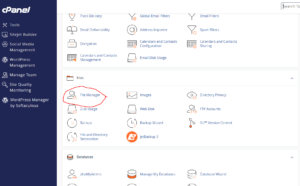
This will open the file management interface where we can browse and manage all files within our hosting account.
Step 3: Navigate to the Desired Directory
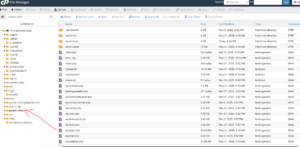
Open the folder where you want to create your new file or directory.
For example, if you’re creating content for your website, you may want to open the public_html directory first.
How to Create a New Folder
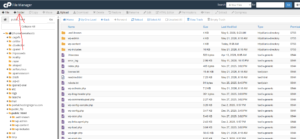
Step 4: Click the Folder Button
At the top of the File Manager interface, click + Folder.
Step 5: Enter the Folder Name
In the New Folder Name field, enter a name for your folder.
Example: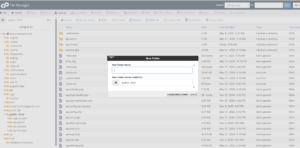
my-folder
You can also specify the location where the folder should be created if needed.
Step 6: Create the Folder
Click Create New Folder.
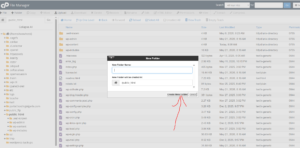
Your new folder will immediately appear in the selected directory.
How to Create a New File
Step 4: Click the File Button
At the top of File Manager, click + File.
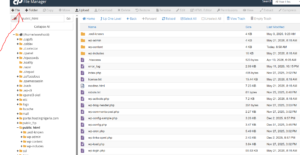
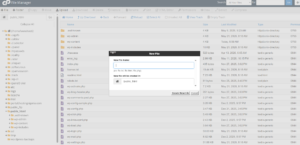
Step 5: Enter the File Name
Type the name of the file you want to create.
Examples:
- index.html
- test.php
- robots.txt
- config.php
Step 6: Create the File
Click Create New File.
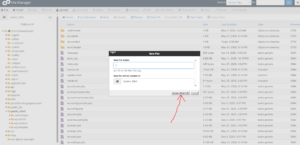
The file will be created instantly in the selected directory.
Why Create Folders and Files in File Manager?
Using File Manager allows us to:
- Organize website content efficiently.
- Create new web pages and scripts.
- Manage project files directly from the browser.
- Store backups and documents in dedicated folders.
- Edit website files without external software.
Best Practices
To keep your hosting account organized:
- Use descriptive folder names.
- Group related files into dedicated directories.
- Avoid special characters in file and folder names.
- Regularly remove unused files and folders.
Tip: Creating a clear folder structure makes website management much easier, especially as your website grows and contains more files.