
How to Create an Alias or Park a Domain in cPanel
An Alias domain, previously referred to as a parked domain, allows you to display the same website content on multiple domain names. In simple terms, when visitors access your alias domain, they will automatically see the content of your primary website.
This feature is useful if you own multiple domain names and want them all to point to the same website without creating separate hosting accounts.
Important: Before creating an Alias domain, ensure that the domain’s DNS records are properly pointed to our hosting server.
Follow These Steps to Create an Alias Domain in cPanel
Step 1: Log in to Your cPanel Account
Access your hosting control panel using your cPanel login credentials.
Step 2: Open the Domains Section
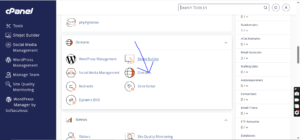
Inside your cPanel dashboard, navigate to the Domains section and click on Domains.
Step 3: Create a New Domain
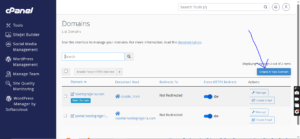
Click on the Create A New Domain button to add your alias domain.
Step 4: Enter Your Domain Name
In the Domain field, type the domain name you want to use as an Alias.
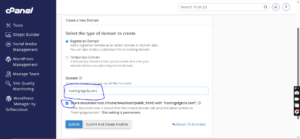
Make sure the Share document root option is checked. This ensures the new domain displays the same website files as your primary domain.
Step 5: Submit the Changes
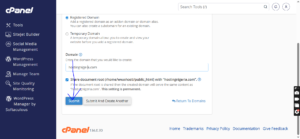
Click on the Submit button to complete the setup.
Alias Domain Successfully Created
Once the process is complete, you should see a confirmation message indicating that your Alias domain has been added successfully.
Your new domain will now display the same website content as your main domain.