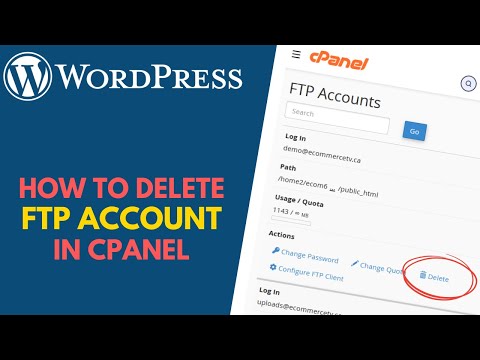
How to Delete an FTP User Account From cPanel
If an FTP account is no longer needed, you can easily remove it from cPanel. Deleting unused FTP accounts is a good security practice, as it prevents unauthorized access and keeps your hosting account organized.
In this guide, you’ll learn how to safely delete an FTP user account from cPanel.
Why Delete Unused FTP Accounts?
Removing unnecessary FTP accounts can help you:
- Improve your website’s security.
- Prevent unauthorized access to files.
- Simplify account management.
- Reduce the number of active credentials on your hosting account.
- Remove access previously granted to developers or team members.
Step 1: Log in to Your cPanel Account
Access your cPanel account using your username and password.
Step 2: Open FTP Accounts
From the Files section, click on FTP Accounts.
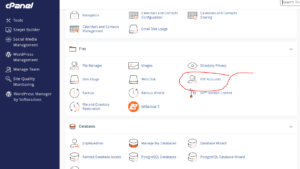
This page displays all FTP users associated with your hosting account.
Step 3: Select the FTP Account to Remove
Locate the FTP account you want to delete.
Under the list of FTP accounts, click Delete next to the account.
Step 4: Confirm the Deletion
Click Delete again to confirm and permanently remove the FTP account.
Congratulations! You’ve successfully deleted the FTP user account.
Important: Do Not Delete the User’s Home Directory
When deleting an FTP account, you may see an option called:
Delete the User’s Home Directory
Warning: Avoid selecting this option unless you intentionally want to remove all files stored inside that directory.
If you delete the user’s home directory, all files contained within it will be permanently removed and may only be recoverable from a backup.
What Happens When You Delete an FTP Account?
Deleting an FTP account:
- Removes the user’s login credentials.
- Prevents future FTP access.
- Does not affect your main cPanel account.
- Does not delete files unless you choose to remove the user’s home directory.
Best Practices Before Deleting an FTP Account
Before removing an FTP user, it’s recommended to:
- Verify that the account is no longer needed.
- Back up important files.
- Make sure no applications depend on that directory.
- Avoid deleting the user’s home directory unless necessary.
- Remove access for former developers or team members promptly.
Common Questions
Can I Restore a Deleted FTP Account?
Yes. You can create a new FTP account with the same username, but the original password won’t be recoverable.
Will Deleting an FTP Account Remove My Website?
No. Deleting an FTP account only removes the user’s access credentials. Your website files will remain intact unless you choose to delete the user’s home directory.
Can I Recover Deleted Files?
If you selected the Delete the User’s Home Directory option, the files can only be recovered from a backup.
Conclusion
Deleting unused FTP accounts helps keep your hosting environment secure and organized. Just be careful not to remove the user’s home directory unless you’re certain the files are no longer needed.
Tip: Instead of sharing your main cPanel login details, create separate FTP accounts for different users. This makes it easier to revoke access when it’s no longer required.