How to Remove an Addon Domain in cPanel
If you no longer need an addon domain connected to your hosting account, you can easily remove it directly from your cPanel dashboard. Follow the steps below to safely delete an addon domain from cPanel.
Step 1: Log in to cPanel
Start by logging in to your cPanel hosting account using your username and password.
Step 2: Open the Domains Section
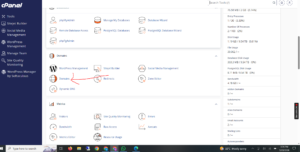
From the cPanel dashboard, navigate to the Domains section and click on Domains.
Step 3: Locate the Addon Domain
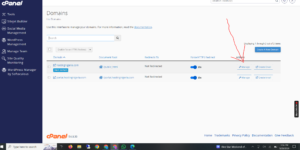
Find the addon domain you want to remove from the list of domains connected to your account.
Next to the selected domain, click on Manage.
Step 4: Remove the Domain
Scroll down to the bottom of the page and click on Remove Domain.
A confirmation prompt may appear asking you to verify the action. Confirm the removal to proceed.
Step 5: Confirmation Message
Once the process is completed successfully, you should see a confirmation message indicating that the addon domain has been removed from your hosting account.
Note: Removing an addon domain from cPanel does not automatically cancel or delete the domain registration itself. It only disconnects the domain from your hosting account.