How to Delete Categories in WordPress
WordPress categories help us organize our posts and improve website navigation. However, over time, we may find that some categories are no longer needed or have become redundant. Fortunately, WordPress makes it easy to remove unwanted categories and keep our content structure clean.
In this guide, we’ll show you how to delete categories in WordPress.
Why Delete Unused Categories?
Removing unnecessary categories helps us:
- Keep our website organized.
- Eliminate duplicate or outdated categories.
- Improve site navigation.
- Simplify content management.
- Maintain a better SEO structure.
Before deleting a category, make sure it’s no longer needed, especially if it contains important posts.
Step 1: Log in to the WordPress Dashboard
Access your WordPress Admin Dashboard using your username and password.
Once logged in, you’ll have access to all category management options.
Step 2: Open the Categories Page
From the left-hand menu, navigate to:
Posts → Categories
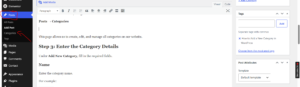
This page displays all categories currently available on your website.
Step 3: Delete the Category
Locate the category you want to remove.
Hover your mouse over the category name and click Delete.
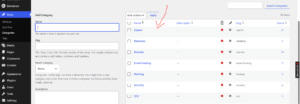
A confirmation prompt may appear. Click OK to confirm the deletion.
The category will be removed immediately.
What Happens to Posts in a Deleted Category?
Deleting a category does not delete the posts assigned to it.
Instead, WordPress automatically moves those posts to the Uncategorized category unless they are assigned to another category.
This ensures that no content is lost when a category is removed.
How to Delete Multiple Categories at Once
If you want to remove several categories simultaneously:
- Go to Posts → Categories.
- Select the categories you want to delete.
- Choose Delete from the available options.
- Confirm the deletion.
This is useful when cleaning up old or duplicate categories.
Best Practices Before Deleting Categories
To maintain a well-structured website, we recommend:
- Reviewing posts assigned to the category first.
- Moving important posts to another category if necessary.
- Avoiding the deletion of major categories that contribute to your site’s structure.
- Keeping category names broad and easy to understand.
- Removing duplicate or unused categories regularly.
Common Reasons to Delete Categories
We often remove categories when:
- Reorganizing our website content.
- Eliminating duplicate categories.
- Simplifying the blog structure.
- Updating our content strategy.
- Cleaning up after a website redesign.
Tip: Before deleting a category, check whether it contains important posts. If necessary, assign those posts to another category first to keep your content properly organized.