+234 916 042 1899
Sign in
How to Change the PHP Version for Your Domain in cPanel
June 5, 2026

Different websites and applications may require specific PHP versions to function correctly. Whether we’re installing a new application, upgrading our website, or troubleshooting compatibility issues, cPanel makes it easy to switch between supported PHP versions. Using the correct PHP version can improve website performance, security, and compatibility with modern software. Follow the steps below to […]

How to Update a Cron Job Email Address in cPanel
June 5, 2026

Cron jobs can automatically send notifications whenever a scheduled task runs or encounters an error. Keeping the correct email address configured ensures we receive important updates about our automated processes and can quickly identify any issues that may arise. In this guide, we’ll show you how to update the email address used for cron job […]

How to Edit or Delete a Cron Job in cPanel
June 5, 2026

Cron jobs help us automate important tasks on our hosting account, such as running scripts, processing scheduled actions, sending emails, or performing routine maintenance. As our website grows, we may need to update an existing cron job or remove one that’s no longer needed. In this guide, we’ll show you how to edit or delete […]

How to Create a Cron Job in cPanel
June 5, 2026

A cron job allows us to automate repetitive tasks on our hosting account. Instead of running scripts manually, we can schedule commands or PHP scripts to execute automatically at specific times and intervals. Cron jobs are commonly used for: Running scheduled backups Sending automated emails Processing queued tasks Executing WordPress maintenance scripts Synchronizing data between […]

How to Check Disk Usage and Bandwidth Usage in cPanel
June 5, 2026

Keeping track of our hosting resources is an important part of website management. If we’ve received a disk space warning from cPanel or simply want to know how much storage and bandwidth our website is using, cPanel provides easy-to-use tools that give us a detailed breakdown of resource consumption. In this guide, we’ll show you […]

How to Edit a File Using cPanel File Manager
June 3, 2026

The cPanel File Manager allows us to edit website files directly from our browser without using additional software. Whether we need to update HTML, CSS, PHP, JavaScript, or configuration files, the built-in editor makes it easy to make quick changes to our website. Follow the steps below to edit a file using cPanel File Manager. […]

How to Create a New Folder or File in cPanel File Manager
June 3, 2026

The cPanel File Manager gives us full control over our website files and directories directly from the browser. Whether we’re organizing website assets, creating new project folders, or adding configuration files, File Manager makes the process quick and convenient without requiring FTP software. Follow the steps below to create a new folder or file in […]

How to Upload Files Using cPanel File Manager
June 3, 2026

cPanel’s built-in File Manager makes it easy for us to upload, manage, and organize website files directly from our browser. This means we can quickly update our website without needing a separate FTP application. Whether we’re uploading HTML files, images, documents, scripts, or website backups, the File Manager provides a simple and convenient way to […]

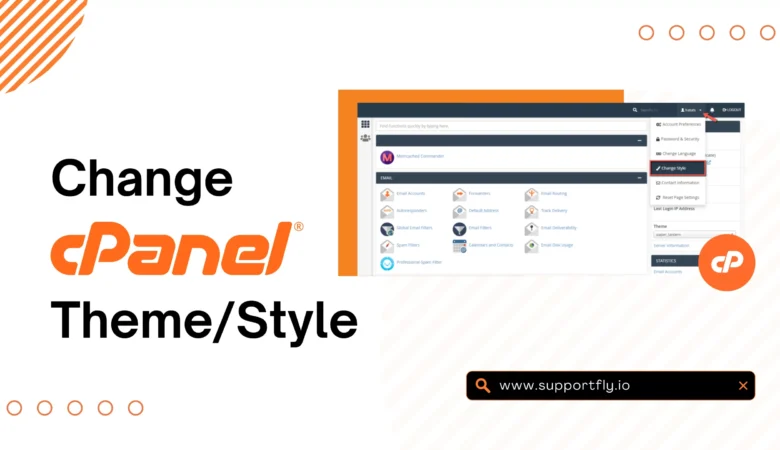
How to Change Your cPanel Theme
June 3, 2026

cPanel allows us to personalize the appearance of our hosting dashboard by switching to a different theme. Changing the cPanel theme can improve navigation, enhance the user experience, and make the interface more comfortable to use. The process is quick and does not affect our websites, databases, emails, or hosting settings. Step 1: Log in […]

Build Your Website with Hosting Nigeria.

We are rated the best web hosting company in Nigeria!