+234 916 042 1899
Sign in
How to Remove a CSR Code in cPanel
June 25, 2026

If you’ve generated a Certificate Signing Request (CSR) that is no longer needed, you can remove it from your cPanel account. Cleaning up unused CSR records helps keep your SSL/TLS management area organized and easier to navigate. In this guide, you’ll learn how to delete a CSR code from cPanel safely. What Is a CSR? […]
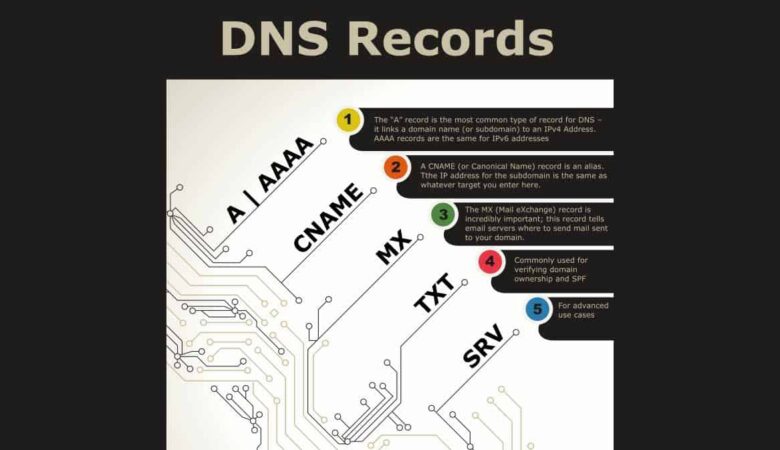

How to add DNS Record from Client Area
June 23, 2026

Step 1: Login to your Client area dashboard from our website homepage.   Step 2: Click on Domains.   Step 3: Select the particular domain you want to add DNS record to.   Step 4: Click on  DNS Management.     Step 5: Select your preferred Record type, fill in the necessary details and click Save changes when done.

How to Access Web Disk in cPanel
June 8, 2026

Web Disk allows us to access and manage our website files directly from our computer, just like working with a local drive. It provides a convenient way to upload, download, edit, and organize files without relying on FTP clients. Web Disk supports multiple operating systems, including Windows, macOS, Linux, and even some mobile platforms. Follow […]

How to Edit or Remove an A Record in cPanel
June 8, 2026

An A Record (Address Record) connects a domain or subdomain to an IP address. If we’re moving our website to a new server, updating an existing IP address, or cleaning up old DNS settings, cPanel’s Zone Editor allows us to easily edit or remove A records. In this guide, we’ll show you how to manage […]

How to Edit or Remove a CNAME Record in cPanel
June 6, 2026

CNAME records (Canonical Name records) allow us to point one domain or subdomain to another domain name. If we’re changing third-party services, updating DNS settings, or cleaning up old records, cPanel’s Zone Editor makes it easy to edit or remove existing CNAME records. In this guide, we’ll show you how to manage CNAME records in […]

How to Add a CNAME Record in cPanel
June 6, 2026

A CNAME record (Canonical Name record) is a type of DNS record that creates an alias for a domain or subdomain. Instead of pointing directly to an IP address like an A record, a CNAME record points one domain name to another domain name. Using cPanel’s Zone Editor, we can easily add CNAME records to […]

How to Edit or Remove an MX Record in cPanel
June 6, 2026

MX records (Mail Exchanger records) determine where emails sent to our domain are delivered. If we’re switching email providers, correcting mail settings, or removing outdated configurations, cPanel’s Zone Editor makes it easy to edit or delete existing MX records. In this guide, we’ll show you how to manage MX records using cPanel. Why Edit or […]

How to Add an MX Record in cPanel
June 6, 2026

An MX Record (Mail Exchanger Record) is a DNS record that tells the internet which mail server is responsible for receiving email messages for our domain. Whether we’re using our hosting provider’s email service or a third-party provider like Google Workspace or Microsoft 365, configuring the correct MX records ensures that emails are delivered properly. […]

How to Add an A Record in cPanel
June 6, 2026

An A Record (Address Record) is a DNS record that points a domain or subdomain to an IPv4 address. We commonly use A records when connecting a domain to a web server, setting up a subdomain, or directing traffic to a specific IP address. Using cPanel’s Zone Editor, we can quickly add or manage A […]

Build Your Website with Hosting Nigeria.

We are rated the best web hosting company in Nigeria!